Syntactic sugar of async await in JavaScript

Syntactic sugar header image

Most advances in modern programming languages, are striving towards making code more human readable. Some people call these features syntactic sugar, because often it doesn’t really change the way the runtime internally handles it.

One such feature in JavaScript is async await. Lets first look at the simple diagram, comparing synchronous vs asynchronous calls. Courtesy of Marijn Haverbeke’s amazing book Eloquent JavaScript.

In below diagram, thick blue line is the program running usually and the thin red line represents time spent waiting. As you can see, with asynchronous mode, there is no time spent waiting. hence the primary thread is free to do other things, remains ready for interactivity. It picks up the processing on a future callback e.g. an API call returning a response.
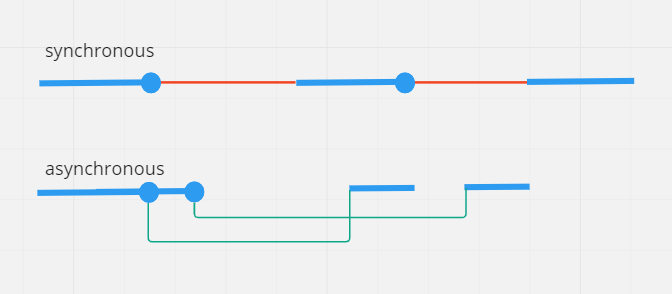
Diagram explaining difference between synchronous and asynchronous timelines

Analogy, lets say you drop your friend to do some shopping. He is going to call you when he is done. If you wait outside doing nothing, waiting for his call, that is stupid(synchronous). If you go do some of your other chores, and when he calls, you go back to pick him up, that is smart(asynchronous).


So, asynchronous is good, how to do it in JS, two prominent ways are promises and async await

Enough english and images, lets see the code. Where the same API call is done both ways. API returns a response and then its converted to JSON, both return a promise.
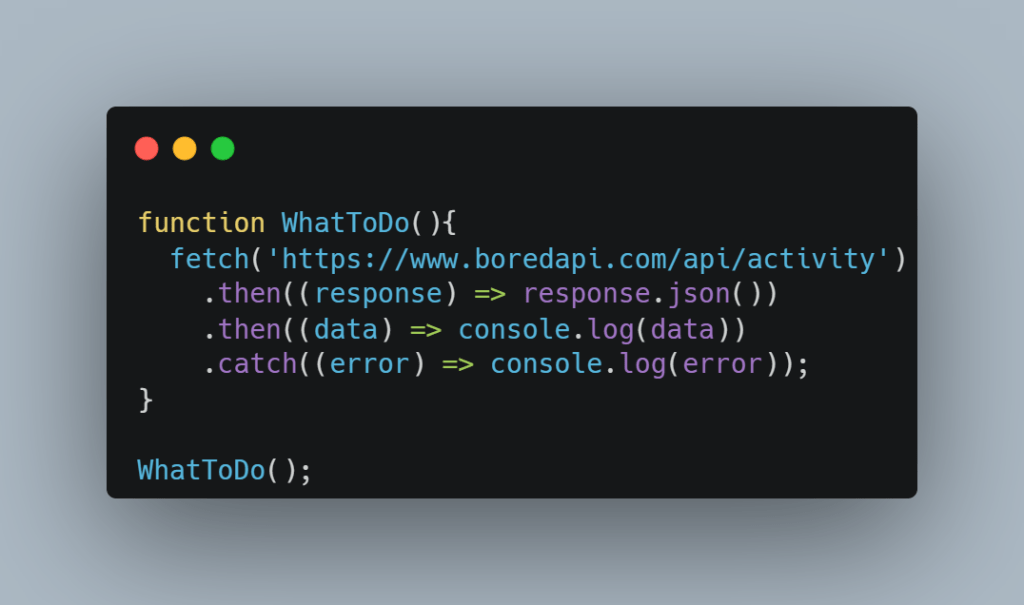
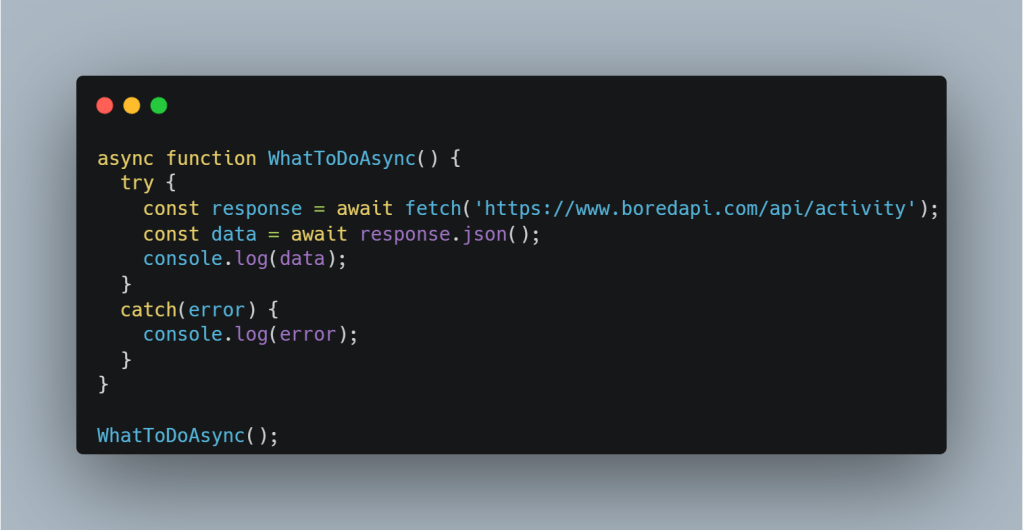
async await code sample

In case you are wondering that’s a real API, and you can see these examples in action at this jsfiddle

You might say, its not making any difference to number of lines of code, but the point is readability. In this contrived example may not seem much but in many real world applications, promises are chained at much deeper level causing readability hell.

Now, go fix some bugs!
The point of Svelte stores

Why

In single-page applications, different pages are constructed using components. Often you need to share some data across them. Also, after the initial server render further interactions happen on the client-side, so, you need some way to store the initial state you got from the server.

What

Many frameworks have their respective recommended way of managing the state. Angular has Rxjs, React with Redux, and Svelte has Svelte-stores

How

Instead of how these state libraries work internally, let’s look at how these are used in an app, specifically Svelte.

Diagram

An image always makes more sense before we look at the code 

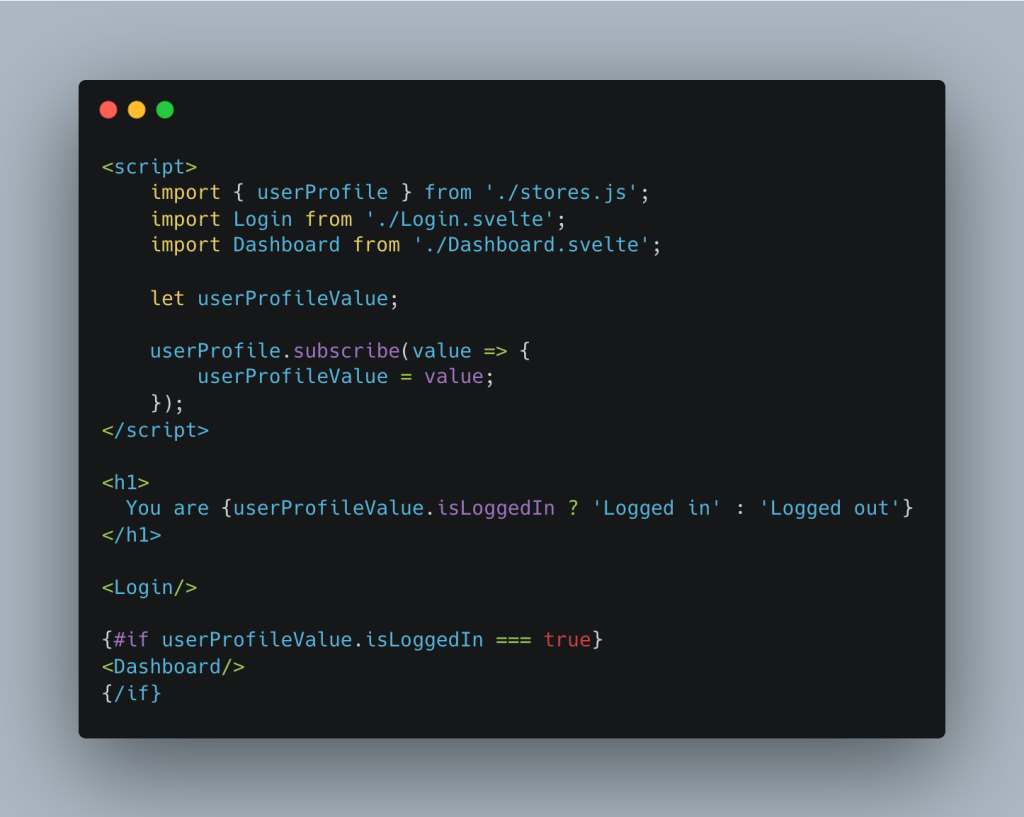
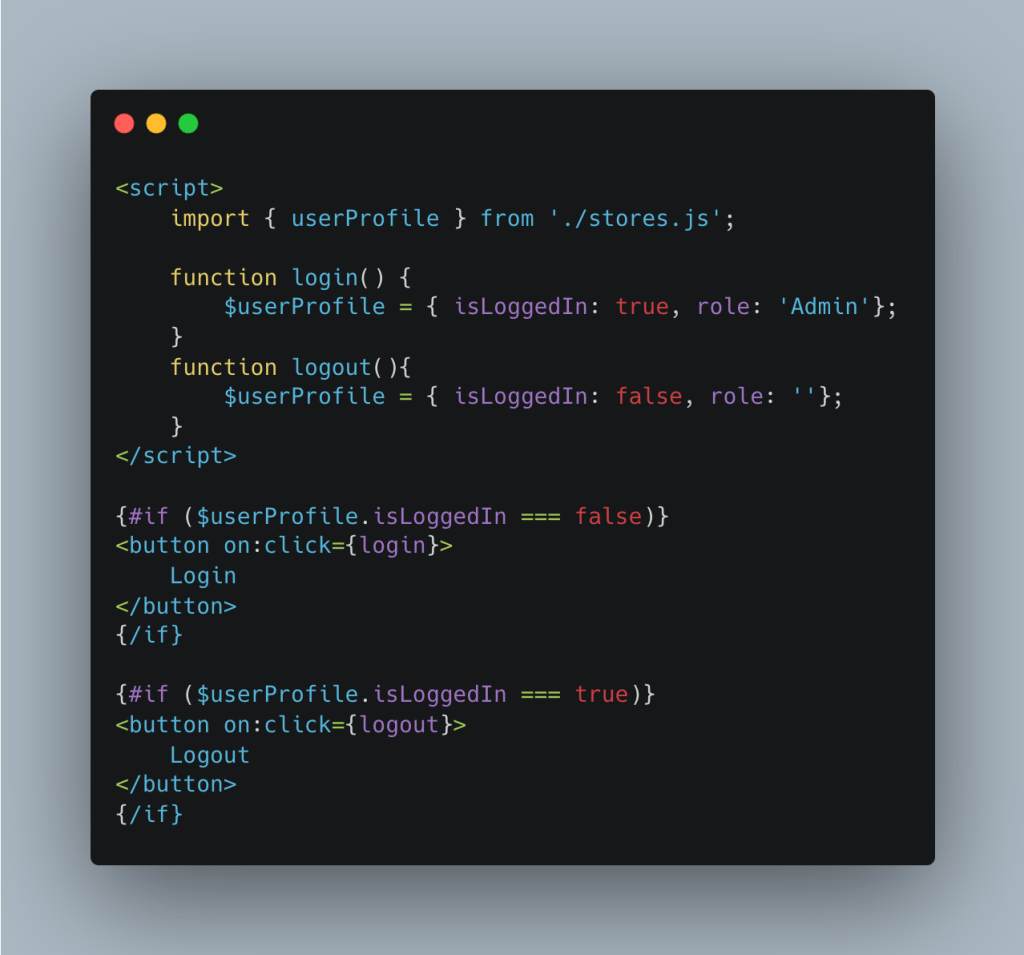
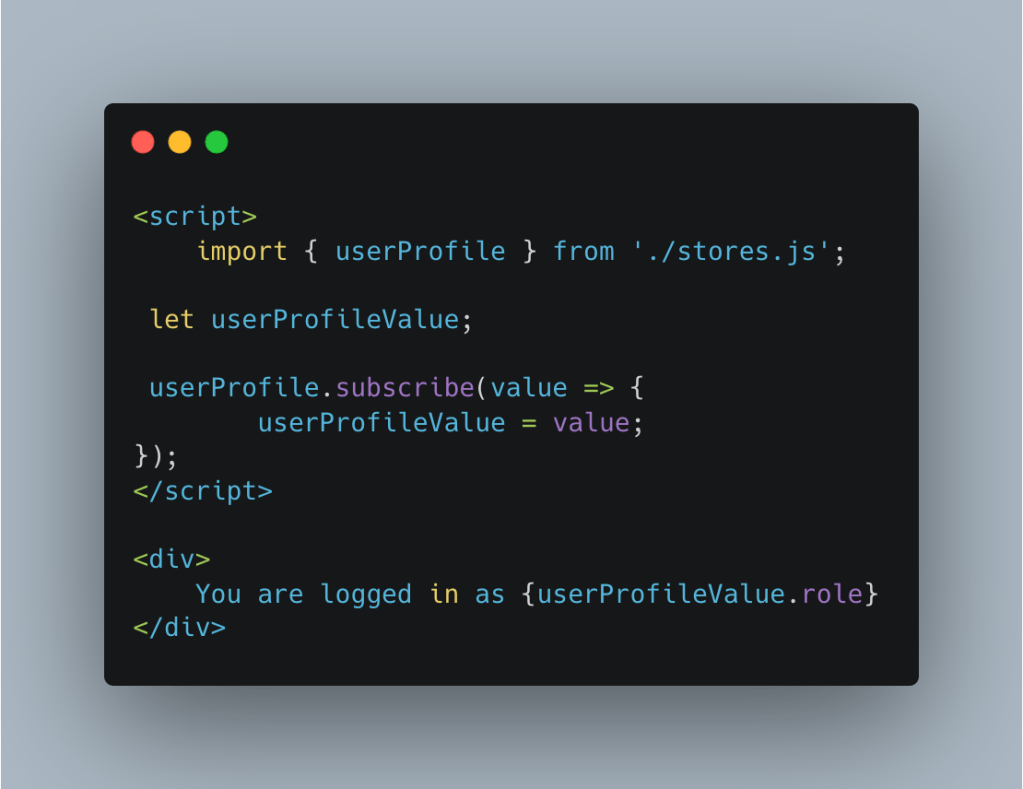
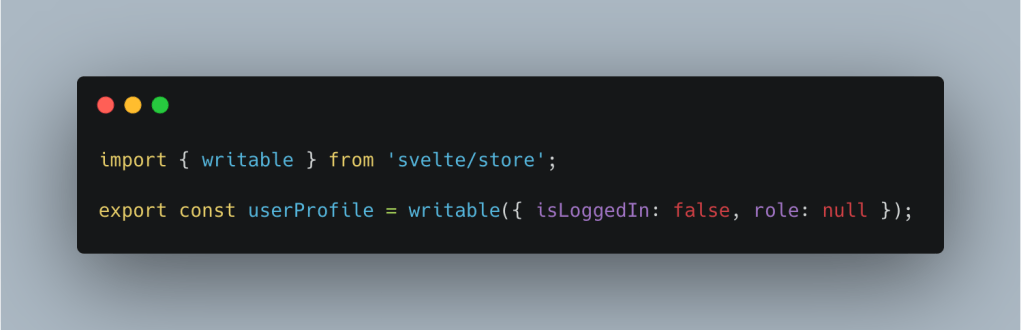
Code

Working Sample Code hosted online at REPL

App.svelte

Login.svelte

Dashboard.svelte

store.js

Now, go fix some bugs!

Using emojis to understand JS Spread and Destructuring

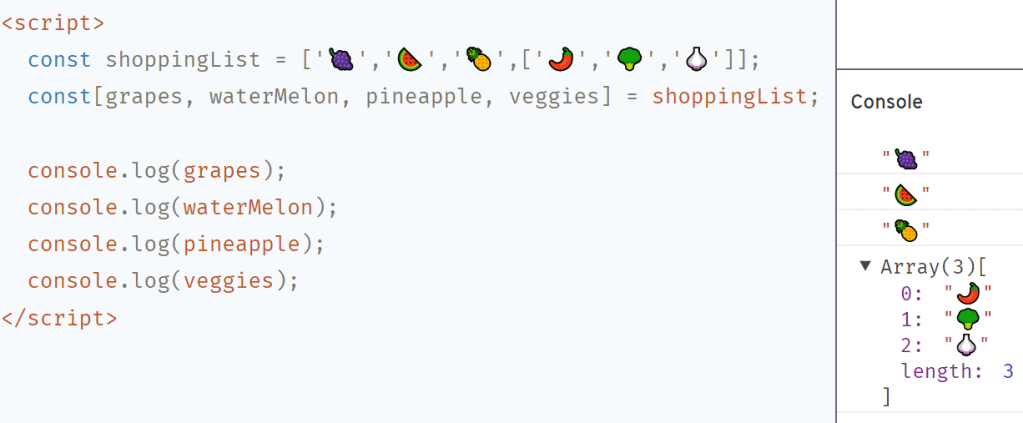
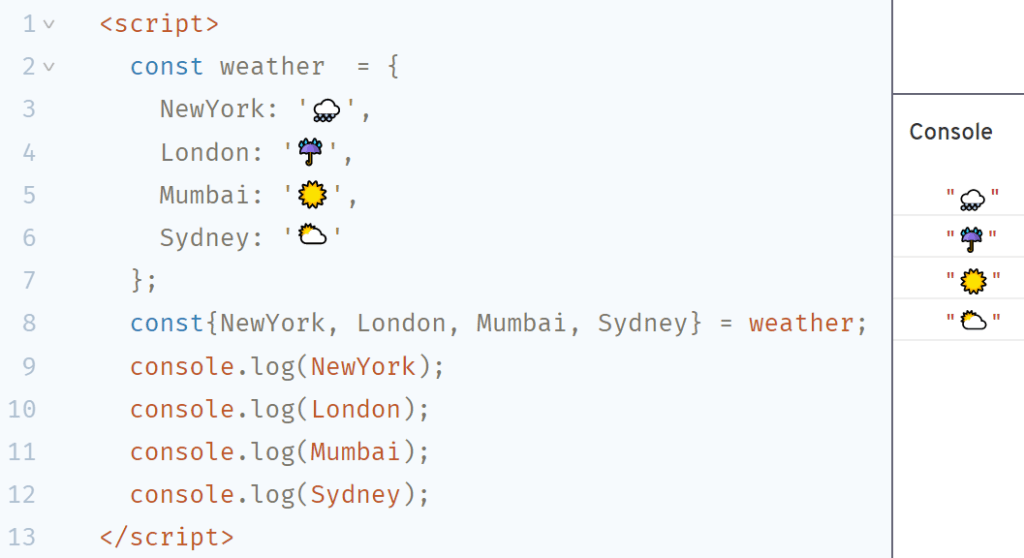
This is in a quest to explain things to a five-year-old(myself). And what better way than to have some pictures than text.

Spread (…)

Prefixing an array, string, or an object with spread(...) when calling a function or as part of an assignment will expand the array elements, in case of object into key-value pairs.

Array example

Object example

Destructuring

Destructuring isn’t really related or similar to spread but just an easy way of extracting values from arrays and objects into variables.

Array example

Object example

There are so many different ways you can use destructuring, but the information is better retained if it is gathered in steps. I hope this is a simpler start for getting your head around these concepts.

Now, go fix some bugs! 

Dollar $ign is back in JS, don’t worry it’s not JQuery

It’s made its way back in Svelte. It is used to make statements reactive.

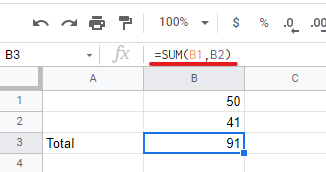
Reactivity is not new to software engineering, anybody with basics of Excel knows it.

For example this simple function below makes B3 react to changes in B1 or B2

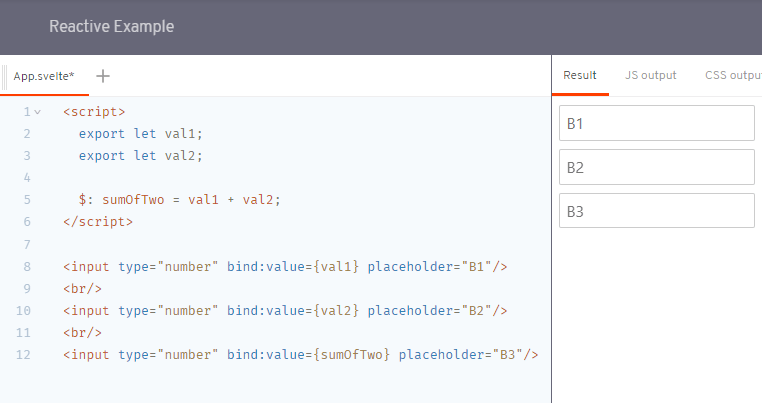
Here is a Svelte implementation of the same thing, notice line 5 and the usage of $: that makes sumOfTwo react to changes in val1 or val2. Internally Svelte is using JavaScript’s label syntax

If you want to edit and try the REPL here

This also works across different components using Svelte stores, but how stores work is worth going through in another post. Now, go fix some bugs!